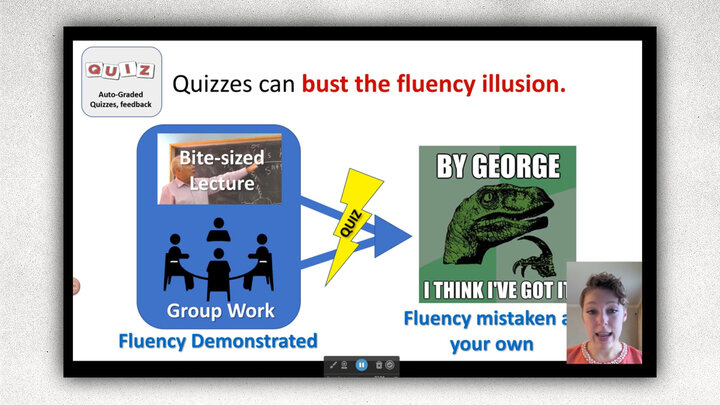
Promos
Build Your Online Teaching Skills This Fall
Registration is now open for the 2026 Institute for Online Teaching (IOT)! Over 10 weeks, you'll work through a hands-on, mostly asynchronous experience designed to help you create engaging, inclusive, and effective online courses using the principles of Backward Design. Along the way, you'll receive support from instructional designers and colleagues across the university, build a course sandbox you can use in your own teaching, and earn an IOT Certificate of Completion. Join us this fall! Registration closes August 28.

Join a growing network of accessibility champions at UNL
The Accessibility Ambassadors Community brings together instructors, staff, and graduate students who want to learn, collaborate, and help make digital content more accessible. Through monthly Zoom meetings and ongoing peer support, you’ll set goals, build practical skills, exchange ideas, reflect on your experiences, and support one another as you make meaningful progress in your unit. Sign up before September 1!

Title II Accessibility Consultations
Zoom or In Person
During these consultations, instructional designers meet with faculty members to get real-time support to improve course accessibility and boost Ally scores.
Contact an Instructional Designer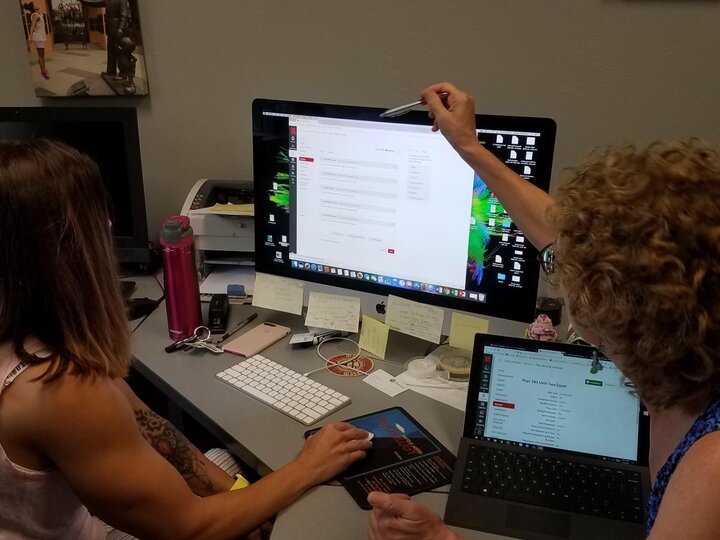
Teaching and Learning Symposium
November 6, 2026, 9:00-3:00, East Campus Union.
Do you have an effective teaching practice you'd like to share? Know a colleague who's doing something amazing in their teaching? Let us know! This fall's symposium is all about excellence in UNL teaching.
Let us know!
Before the Term Begins
Improve course accessibility and inclusivity
For a quick list for implementing accessibility in specific programs such as Canvas, Word, and PowerPoint, visit the CTT Accessibility Resource. Consider using this LISTS Accessibility Essentials Checklist to learn the general accessibility rules that apply across all programs and course materials or go through the asynchronous online NU Accessibility Training course. Accessibility is only one aspect of inclusive teaching. Use the Inclusive Course Checklist to identify ways to make courses more inclusive. An instructional designer assigned to your college can help.
Publish the course in Canvas a week before the first day of class
A welcome message is part of establishing a positive classroom climate and can help cultivate students’ sense of belonging, a key element in inclusive teaching. It can also kindle excitement for the course material.
A "Getting Started" module is a collection of pages in Canvas that introduce students to the course and their instructor(s). This information, along with the syllabus, helps them know what to expect. In ENGL 270, the instructor, Roland Végső, uses a video to introduce himself and the course syllabus. He also provides reflection questions to encourage students to verify they know essential information to succeed in the course. Végső also gives students a video tour of the Canvas course.
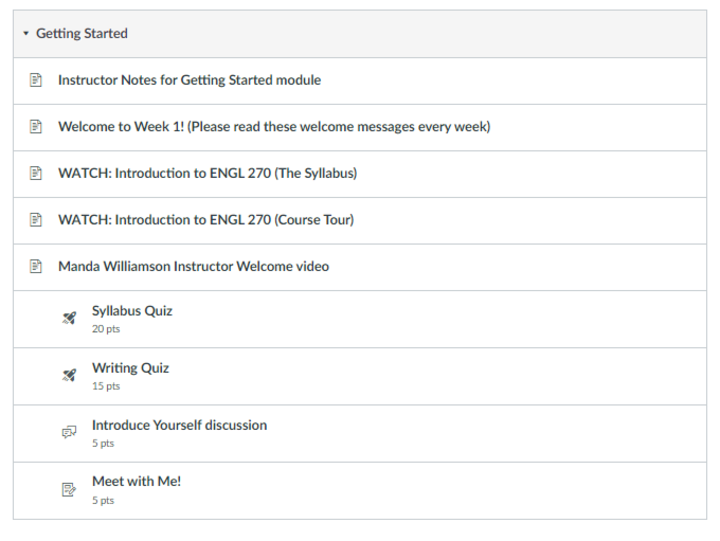
In PSYC 181, Manda Williamson also does a video welcome. Additionally, she uses quizzes to help students be accountable for understanding expectations.
Place your welcome message into a "Getting Started" module—a collection of pages in Canvas that introduce students to the course and their instructor(s). This information, along with the syllabus, helps them know what to expect.
Take a look at these examples and a sample getting started module. Be sure to read the Instructor Notes for more details and how to import a "Getting Started" module template into your course.
This is just one of many Canvas Commons modules you may import into your course to support learning.
Provide students with an orientation to Canvas
Help your students learn to use Canvas by including the Canvas Orientation module in your course. CTT instructional designer, Eyde Olson, maintains this module providing critical information about Canvas and student resources. Sections address Accessibility and Services for Students with Disabilities, academic integrity, resources, technology tips and requirements, and even tips for success.
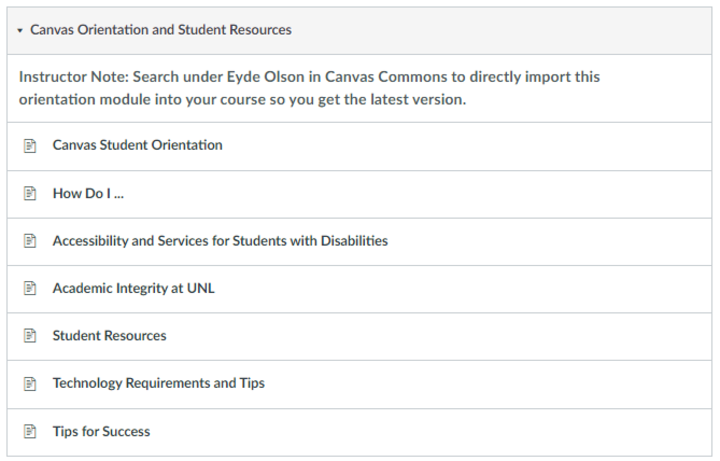
This is just one of many Canvas Commons modules you may import into your course to support learning. Search in Canvas Commons under Eyde Olson to import the Canvas Orientation and Student Resources module into your course
Verify that course materials are available to students
If teaching an ACE course, make sure your syllabus includes the ACE outcome that is met along with the correct statement of the outcome and identify the signature assignment(s) you will assess for ACE. For more details, please see the ACE Governing Document IV: Governance and Assessment.
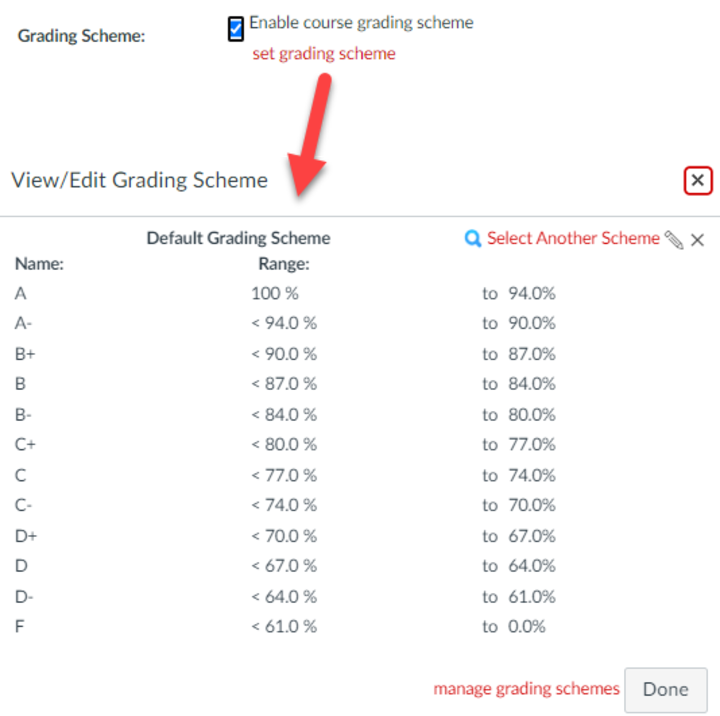
Enable a Grading Scheme in Canvas
The grading scheme in Canvas translates the numeric course grade into a letter grade. Enabling this feature yields two important benefits:
- Allows students to see their letter grade
- Makes it possible for instructors to AUTOMATICALLY import the letter grades into MyRed at the end of the term -- an important time-savings in a large-enrollment course!
Click on Settings > Course Details
Make sure all assignments and quizzes have due dates
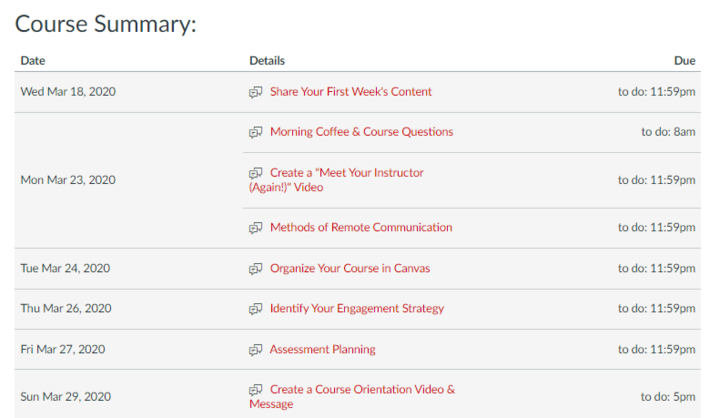
Even if the assignments and quizzes are not yet available to students, giving them due dates helps students organize their term. Moreover, a summary course schedule will be AUTOMATICALLY created on the Canvas Syllabus page. Also, the students in the course will now see those dates in their Canvas calendar that is in the main navigation.
Teaching with AI
AI Literacy Module for Students
Available on Canvas Commons
“AI and Information Literacy” from Nebraska Libraries helps students learn about AI tools and strategies for evaluating and citing the outputs created by them. Contact and instructional designer for more information.